FAQ
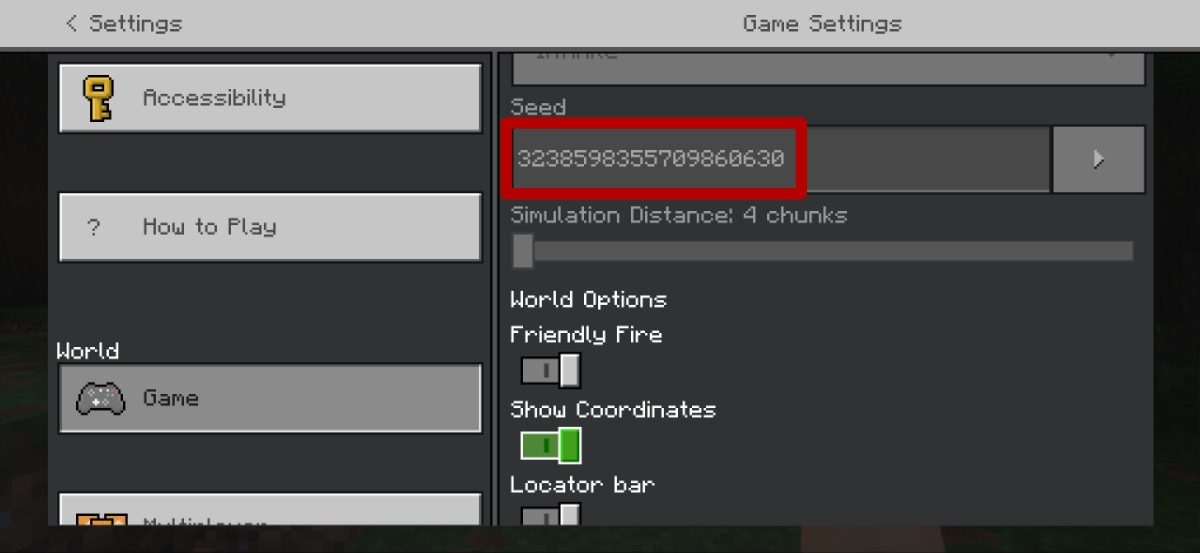
1. Find Your World Seed
The world seed is the unique number that generated your Minecraft world.
1. Load into your world
2. Pause the game and open Settings
3. Scroll down to the Game section
4. Look for "Seed" - your world seed will be displayed right there as a long number "123456789012345"
5. You can write it down or take a screenshot and copy text from the screenshot in photos
2. Turn On Player Coordinates
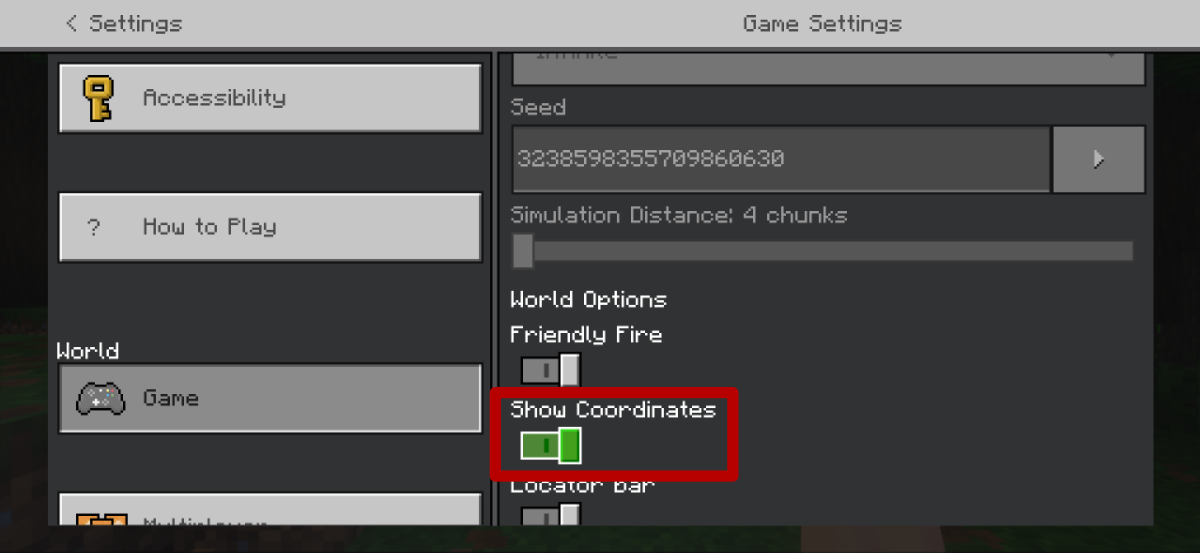
Coordinates show your exact position in the world and make navigation much easier!
Steps to Enable Coordinates:
Your coordinates will now appear in the top-left corner of your screen, showing three numbers:
1. Load into your world
2. Pause the game and open Settings
3. Navigate to Game settings (scroll down if needed)
4. Find the option "Show Coordinates"
5. Toggle it ON
6. Close the settings menu
X = East/West position (negative = West, positive = East)
Y = Height (sea level is 63, bedrock is around 0-5)
Z = North/South position (negative = North, positive = South)
We're Here to Help!
Have questions? We'd love to hear from you! Send us a message anytime:
support@blakzero.com